
Stowage compartments in the front
Glove box
 Depending on the vehicle's equipment,
you will find the following installed in the
glove box: an audio and video AUX jack, a
USB socket or Media Interface, a universal
interface for portable audio equipment, e.g. for an iPod or USB device, and a
bracket for a remote control (see the COMAND section
in this Operator's Manual).
Depending on the vehicle's equipment,
you will find the following installed in the
glove box: an audio and video AUX jack, a
USB socket or Media Interface, a universal
interface for portable audio equipment, e.g. for an iPod or USB device, and a
bracket for a remote control (see the COMAND section
in this Operator's Manual).
The glove box can be ventilated.
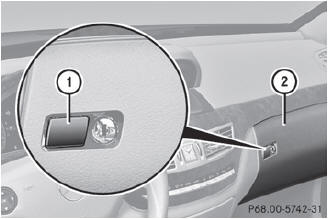
 To open: press button 1.
To close: fold glove box flap 2 upwards
until it engages.
The glove box can only be locked and unlocked using the mechanical key.
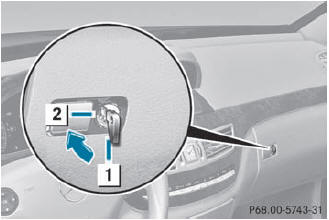
1 Glove box unlocked
2 Glove box locked
Eyeglasses compartment
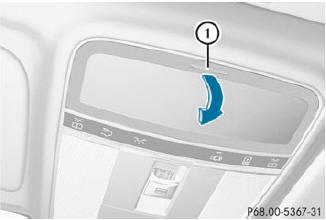
To open: press marking 1.
Stowage compartment under the armrest
The  Roadside Assistance call
button
and and the
Roadside Assistance call
button
and and the  MB Info
call button are located in the
stowage compartment under the armrest.
MB Info
call button are located in the
stowage compartment under the armrest.
In the stowage compartment, there is a
partition which can be used to divide up the
stowage compartment.
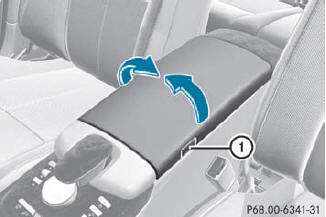
To open: press button 1 and fold the
armrest to the left or right.
Stowage compartments in the doors
WARNING
Keep the door storage compartments closed
while vehicle is in motion. Failure to do so may
cause the seat belt to catch at the rear and
prevent proper positioning of the seat belt.
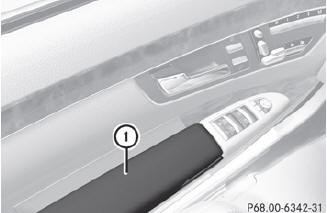
To open: pull cover 1 upwards.
Coat hook
The coat hooks are located on the left and right in the headliner in the rear compartment.
 Only hang light loads on the coat hooks.
Do not place a load of more than 6.6 lbs
(3 kg) on the coat hooks.
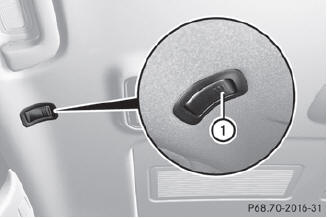
To open: press coat hook 1.
The coat hooks fold out.
To close: press coat hook 1 until it
engages.
See also:
Notes on selecting, mounting and replacing tires
• Only mount tires and wheels of the same type and make.
• Only mount tires of the correct size onto the wheels.
• After mounting new tires, run them in at moderate speeds for the first 60
miles ( ...
Releasing the electric parking brake
automatically
The electric parking brake is released
automatically when the following conditions
are simultaneously fulfilled:
• the engine is running.
• the automatic transmission is in position D or R.
...
Driving Impressions
Although it’s a lot smaller than the Hummer H1, the G500 delivers a
comparably unique driving experience. It’s hard to believe that this SUV is only
slightly taller than the M-Class because it con ...