
Introduction
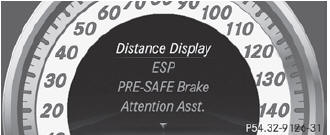
In the DriveAssist. menu you can:
• show the distance display
• activate/deactivate ESP®
• activate/deactivate PRE-SAFE® Brake
• activate/deactivate ATTENTION ASSIST
• activate/deactivate Blind Spot Assist or Active Blind Spot Assist
• activate/deactivate Lane Keeping Assist or Active Lane Keeping Assist
See also:
Opening
Switch off the engine.
emove the SmartKey from the ignition lock.
KEYLESS-GO: open the driver’s door. This switches the ignition to position 0,
which corresponds to having removed the SmartK ...
Number of seats
The specifications shown on the Tire and
Loading Information placard in the
illustration are examples. The number of
seats is vehicle-specific and can differ from
the details shown. The numbe ...
Turn signals
1. High-beam headlamps
2. Right turn signal
3. High-beam flasher
4. Left turn signal
•► To indicate briefly: press the combination
switch briefly to the pressure point in the
...