
Activating/deactivating DSR
Activating
DSR can only be activated if you are driving no faster than 20 mph (30 km/h).
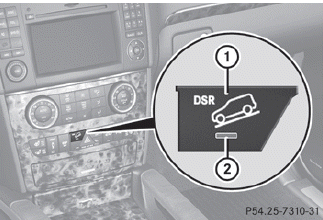
Vehicle without the Off-Road Pro Engineering package
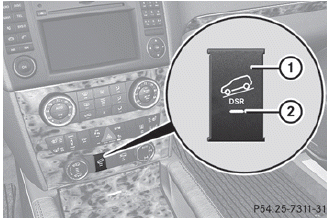
Vehicle with the Off-Road Pro Engineering package
► Press button 1.
Indicator lamp 2 lights up.
The DSR symbol and a message, such as the following, appear in the multifunction display:
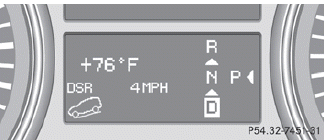
If the speed that is being driven is too high, the DSR symbol and the Max. speed 20 mph (Canada: 30 km/h) message appears in the multifunction display.
Deactivating
► Press button 1.
Indicator lamp 2 goes out.
The DSR symbol appears in the multifunction display with the Off message.
DSR is deactivated automatically if you are driving faster than 21 mph (Canada:
35 km/h). The DSR symbol appears in the multifunction display with the Off message.
You also hear a warning tone.
See also:
SmartKey
0 To remove the SmartKey
1 Power supply for some consumers, such as the windshield wipers
2 Ignition (power supply for all consumers) and drive position
3 To start the engine
As soon as the igni ...
Driving on flooded roads
Do not drive through flooded
areas.
Check the depth of any water before drivincg
through it. Drive slowly through standing
water. Otherwise, water may enter the
vehicle interior or the engin ...
Important safety notes
The EASY-ENTRY/EXIT feature makes getting in and out of your vehicle easier.
You can activate and deactivate the EASYENTRY/ EXIT feature in the on-board computer
().
WARNING
You must make su ...