
Introduction
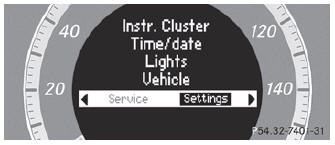
The Settings menu can be used for:
- changing the instrument cluster settings
- changing the time/date settings
- changing the light settings
- changing the vehicle settings
- changing the convenience settings
- restoring the factory settings
See also:
Xenon bulbs
If your vehicle is equipped with Xenon bulbs,
you can recognize this by the following: the
cone of light from the Xenon bulbs moves
from the top to the bottom and back again
when you start the eng ...
Maximum loaded vehicle weight
The maximum weight is the sum of the curb
weight of the vehicle, the weight of the
accessories, the total load limit and the
weight of the optional equipment installed at
the factory. ...
Automatic transmission
WARNING
It is dangerous to shift the automatic transmission out of parking position P
or neutral position N if the engine speed is higher than idle speed. If your foot
is not firmly on the b ...