
Adjusting the sound settings
Calling up the sound menu
You can make various sound settings for the different audio and video sources. This means that it is possible to set more bass for radio mode than for audio CD mode, for example.
You can call up the respective sound menu from the menu of the desired mode.
The example describes how to call up the sound menu in radio mode.
 Press the
  function button.
The radio display appears. You will hear the last station played on the last waveband.
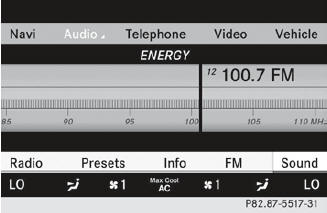
Select Sound by sliding  and turning
 the COMAND controller and press
 to confirm.
You can now set the treble and bass or the
balance and fader for radio mode.
Adjusting treble and bass
Select Treble or Bass in the sound menu
by turning the COMAND controller
and press to confirm.
An adjustment scale appears.
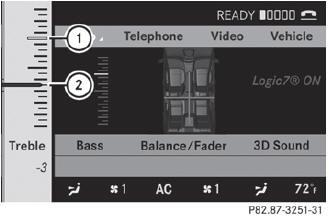
To set the treble
1 Last setting selected
2 Current setting
Select a setting by turning
the
COMAND controller and press to
confirm.
The setting is stored and you exit the menu.
Adjusting balance and fader
With the Balance function, you can control whether the sound is louder on the driver's or front-passenger side.
The Fade function is used to control whether the sound is louder in the front or the rear of the vehicle.
Select Balance/Fader in the sound menu
by turning and press
to confirm.
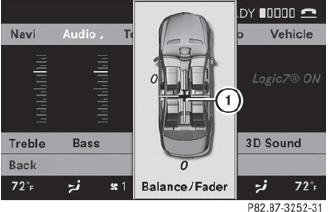
1 Current setting
Select a setting by sliding  or
or
 the
COMAND controller and press to
confirm.
the
COMAND controller and press to
confirm.
The setting is stored and you exit the menu.
See also:
Deactivating/activating PARKTRONIC
To deactivate/activate PARKTRONIC
Indicator lamp
If indicator lamp 2 lights up, PARKTRONIC is deactivated.
PARKTRONIC is automatically activated when you turn the SmartKey to position
...
Trailer loads
Missing values were not available at time of going to print.
...
Selecting a category/playlist/folder
iPod® and certain MP3 players
For an iPod® or MP3 player, you can select
tracks using categories or folders.
Depending on the device connected, the
following categories may be available, for
e ...