
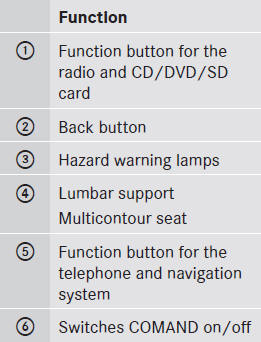
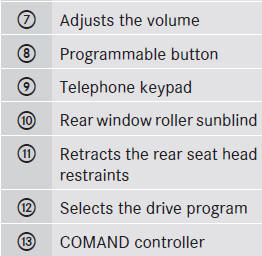
Center console
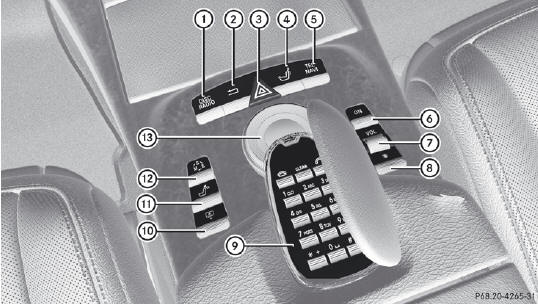
Center console
See also:
Please bear the following in mind
The engine oils are matched to the
performance of Mercedes-Benz engines and
service intervals. You should therefore only
use engine oils and oil filters that are
approved for vehicles with mainten ...
Guide lines in the COMAND display
WARNING
Use of rear view camera can be dangerous if
you are color-blind or have impaired color
vision.
Only use rear view camera if you can see and
distinguish all colored guidelines shown ...
Power washers
WARNING
Do not use power washers with circular-jet nozzles (dirt grinders) to clean your
vehicle, in particular the tires. You could otherwise damage the tires and cause
an accident.
Alw ...