
Service menu
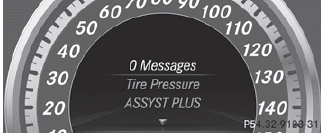
In the Serv. menu you can:
- call up display messages
- restart the tire pressure loss warning
system (Canada only) Rcheck the tire pressure electronically
- call up the service due date
See also:
Surprising Agility
At 17 feet long, the S550 is obviously a large car, but it doesn't feel the
least bit ponderous from the driver's seat. It's pretty easy to maneuver through
heavy, fast-moving highway traffic and ...
Pedals
WARNING
Make sure absolutely no objects are
obstructing the pedals' range of movement.
Keep the driver's footwell clear of all
obstacles. If there are any floormats or
carpets in the footw ...
High-beam headlamps
To switch on the high-beam headlamps:
turn the SmartKey in the ignition lock to
position 2 or start the engine.
Turn the light switch to .
Press the combination switch beyond the
pressure p ...