
Switching on/off
The three red indicator lamps in the button indicate the heating level you have selected.
If the battery voltage is too low, the seat heating may switch off.
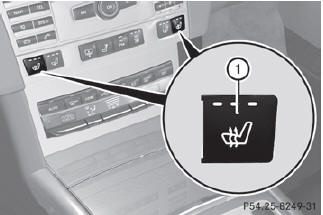
Driver's and front-passenger seat
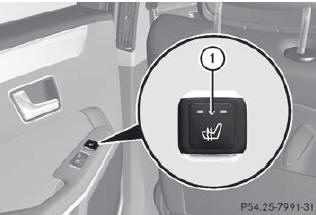
Rear seats
The system automatically switches down from level 3 to level 2 after about eight minutes (driver's seat and front-passenger seat) or five minutes (rear seats).
The system automatically switches down from level 2 to level 1 after approximately ten minutes.
The system automatically switches off approximately 20 minutes after it is set to level 1.
•► Make sure that the SmartKey is in position 2 in the ignition lock.
•► To switch on: press button 1 repeatedly until the desired heating level is set.
•► To switch off: press button 1 repeatedly until all the indicator lamps go out.
See also:
Premiere: Active Blind Spot Assist and Active Lane Keeping Assist
Assistance systems are becoming increasingly important these days, providing
support for drivers as they perform a complex activity. In the new Mercedes CLS,
for example, proven technologies like ...
Rear-compartment screens
1 Socket for corded headphones
2 V jack for video signal
3 L jack for audio signal, left
4 R jack for audio signal, right
5 Rear compartment screen
You can connect an additional set o ...
Driving on sand
WARNING
Do not reduce the tire inflation pressure
before driving through sand. However, if you
do so, remember to correct the tire inflation
pressure before continuing your trip. Driving
wit ...