
SmartKey
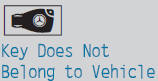 |
You have put the wrong SmartKey in the ignition lock. Use the correct SmartKey. Use the correct SmartKey. |
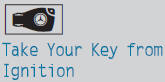 |
The SmartKey is in the ignition lock. Remove the SmartKey. |
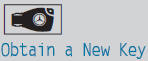 |
The SmartKey needs to be replaced. Visit a qualified
specialist workshop. |
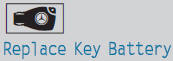 |
The batteries of the KEYLESS-GO key are discharged. Change the batteries. |
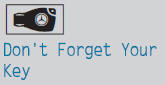 |
The display message is shown for a maximum of 60 seconds and
is only a reminder. You have opened the driver's door with the engine switched off. The KEYLESS-GO key is not in the ignition lock. Remember to take the
KEYLESS-GO key with you when you
leave the vehicle. |
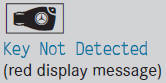 |
The KEYLESS-GO key is not in the vehicle. A warning tone also sounds. If the engine is switched off, you can no longer lock the vehicle centrally or start the engine. Pull over and stop the
vehicle safely as soon as possible, paying
attention to road and traffic conditions. Apply the parking brake. Locate the KEYLESS-GO key. |
| The KEYLESS-GO key is not detected while the engine is running
because there is interference from a strong source of radio waves. A warning tone also sounds. Pull over and stop the
vehicle safely as soon as possible, paying
attention to road and traffic conditions. Engage the parking brake. Operate the vehicle with
the SmartKey in the ignition lock. |
|
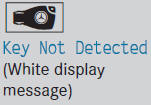 |
The KEYLESS-GO key cannot be detected at present. Change the location of the
key with the KEYLESS-GO functions
in the vehicle. If the KEYLESS-GO key is still not detected: Operate the vehicle with
the SmartKey in the ignition lock. |
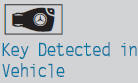 |
The KEYLESS-GO key has been detected inside the vehicle during
locking. Remove the KEYLESS-GO key
from the vehicle. |
 |
KEYLESS-GO is temporarily malfunctioning or is defective. A
warning tone also sounds. Insert the SmartKey into
the ignition lock and turn it to the
desired position. Visit a qualified
specialist workshop. |
 |
At least one door is open. A warning tone also sounds. Close all doors and lock
the vehicle again. |
See also:
Calling up the range
► Press
on the steering wheel
to select the trip computer menu.
► Press
to select Range:.
The multifunction display shows the
estimated range of the vehicle, based on
the curren ...
Side impact air bags
WARNING
The pressure sensors for side impact air bag
control are located in the doors. Do not
modify any components of the doors or door
trim panels including, for example, the
addition of ...
Components and storage
The EASY-PACK load-securing kit allows you
to use your cargo compartment for a variety
of purposes. The accessory parts are located
under the trunk floor.
– Open the trunk floor.
EASY-PACK ...