
Introduction
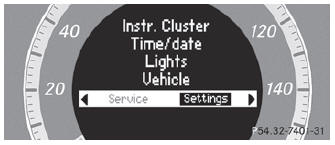
The Settings menu can be used for:
- changing the instrument cluster settings
- changing the time/date settings
- changing the light settings
- changing the vehicle settings
- changing the convenience settings
- restoring the factory settings
See also:
Notes on driving
• If the vehicle is heavily laden, check the tire
pressures and correct them if necessary.
• When parking your vehicle, make sure that
the tires do not get deformed by the curb
or other obstacl ...
Heavy and light loads
WARNING
Depressing the brake pedal constantly results
in excessive and premature wear to the brake
pads.
It may also cause the brakes to overheat,
seriously impairing their effectiveness. ...
Cornering light function (Bi-Xenon headlamps)
Cornering light function (Bi-Xenon headlamps)
Switch off the lights.
Open the hood.
Turn housing cover 1
counter-clockwise and pull it out.
Turn bulb holder 2
counter-clockwise and pull ...