
Service menu
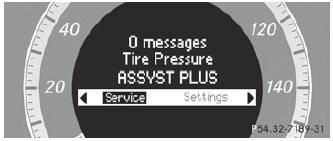
In the Service menu you can:
- call up display messages ()
- restart the tire pressure loss warning system (Canada only) ()
- check the tire pressure electronically (USA only) ()
- call up the service due date ()
See also:
Step-by-step instructions
The following steps have been developed as required of all manufacturers under
Title 49, Code of U.S. Federal Regulations, Part 575 pursuant to the "National Traffic
and Motor Vehicle Safety ...
Seat belt adjustment
The seat-belt adjustment function adjusts the
driver's and front-passenger seat belt to the
upper body of the occupants.
The belt strap is tightened slightly when:
• you engage the belt tongue i ...
Child-proof locks for the rear doors
WARNING
Children could open a rear door from inside
the vehicle. This could result in serious
injuries or an accident. Therefore, when
children ride in the rear always secure the rear
doors ...