
Socket in the glove box
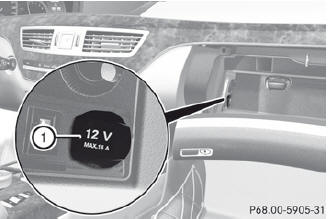
 Open the glove box.
Lift up the cover of socket 1.
See also:
Please bear the following in mind
For safety reasons, Mercedes-Benz
recommends that you only use Tires and
wheels which have been approved by
Mercedes-Benz specifically for your
vehicle.
These tires have been specially adapt ...
Cup holder in the rear seat armrest
Do not sit on or support your body weight
on the rear seat armrest when it is folded
down, as you could otherwise damage it.
► Fold down the rear seat armrest.
Cup holder 1 is in the r ...
Exterior mirror out of position
If an exterior mirror has been pushed out of
position, proceed as follows:
Press the mirror-folding button
repeatedly until you hear the
mirrors engage in position.
The mirror housing is ...