
Adjusting the NECK-PRO head restraints
Adjusting
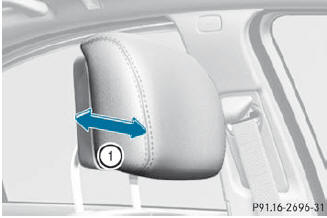
Adjusting
 Pull or push the bottom of NECK-PRO head
restraint 1.
Pull or push the bottom of NECK-PRO head
restraint 1.
Resetting
The NECK-PRO head restraints are moved forwards in the event of a rear collision in the direction of travel and have to be reset afterwards.
See also:
Important notes on use
To function properly, BlueTEC exhaust gas
aftertreatment must be operated with the
reducing agent DEF. Adding DEF is one of the
tasks performed during maintenance. Under
normal operating condi ...
Switching on/off
The three blue indicator lamps in the buttons
indicate the ventilation level you have
selected.
If the battery voltage is too low, the seat
ventilation may switch off.
► Make sure that ...
Treadwear indicators
Narrow bars (tread wear bars) that are
distributed over the tire tread. If the tire tread
is level with the bars, the wear limit of 1/16 in
(1.6 mm) has been reached. ...