
Program selector button
General information
The program selector button allows you to choose between different driving characteristics.
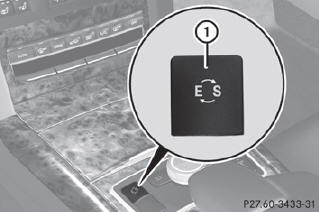
Program selector button on all models except AMG vehicles
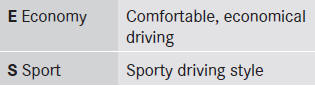
For further information on the automatic drive program
•► Press program selector button :
repeatedly until the letter for the desired gearshift program appears in the multifunction display.
The automatic transmission shifts to automatic drive program E each time the engine is started.
AMG vehicles
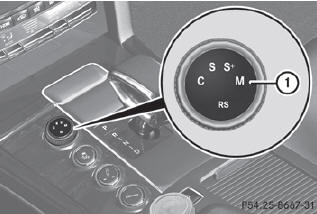
Drive program selector with manual drive program
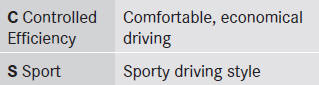
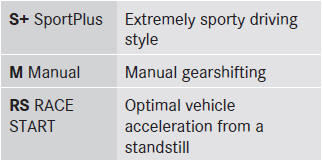
For further information on the automatic drive program
Only change from automatic drive program C, S or S+ to manual drive program M when the vehicle is stationary.
•► Turn drive program selector 1 until the desired drive program appears in the multifunction display in the speedometer.
The drive program indicator on drive program selector 1 lights up in red.
The automatic transmission shifts to automatic drive program C each time the engine is started.
RS cannot be selected during normal driving. For further information on RACE START
See also:
Active Blind Spot Assist
Important safety notes
Active Blind Spot Assist uses a radar sensor
system to monitor the side areas of your
vehicle which are in back of the driver. A
warning display in the exterior mirrors d ...
Important safety notes
WARNING
When leaving the vehicle, always remove the
SmartKey from the ignition lock. Always take
the SmartKey with you and lock the vehicle.
Do not leave children unattended in the
vehicle ...
Setting the side air vents
► To open/close: turn thumbwheel 3 to the
left or right.
Side window defroster vent 1 is never
completely shut, even if side air vent 2 is
shut. ...