
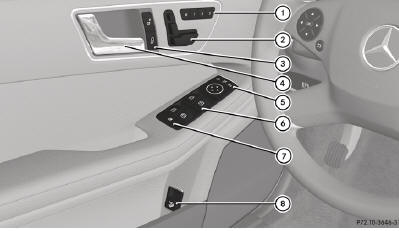
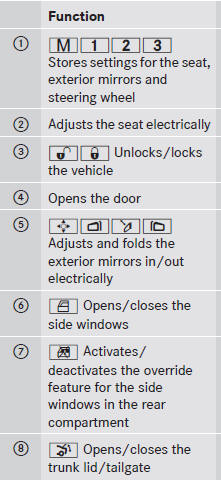
Door control panel
See also:
Route guidance active
No change of direction announced
No change of direction announced
1 Distance to the destination
2 Distance to the next change of direction
3 Current road
4 Symbol for "follow the road's co ...
Wet roads
WARNING
After driving in heavy rain for some time
without applying the brakes or through water
deep enough to wet brake components, the
first braking action may be somewhat
reduced. You hav ...
Important safety notes
WARNING
Do not park this vehicle in areas where
combustible materials can come into contact
with the hot exhaust system. Combustible
materials, such as grass, hay or leaves could
be ignited ...