
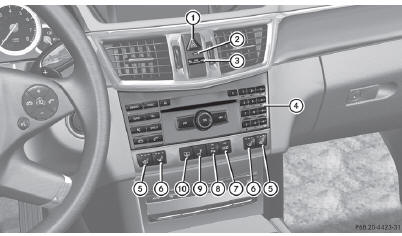
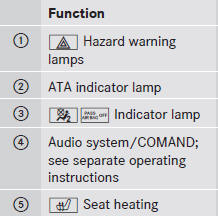
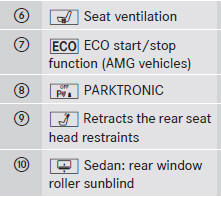
Center console, upper section
See also:
Lights
Display messages about LEDs:
This display message will only appear if all LEDs have failed.
Display messages
Cornering Lamp
Left or Cornering
Lamp Right
Possible causes/consequences an ...
Folding the seat backrest back
•► Move the driver's or front-passenger seat
forward if necessary.
! Make sure that the seat belt does not
become trapped when folding the rear seat
backrest back. Otherwise, it could b ...
Vehicle remote closing
If you forget to lock your vehicle but are no longer in the vicinity of the vehicle,
it can be locked for you by the Mercedes-Benz Customer Assistance Center.
The vehicle can be locked remotely up ...