
Displays and controls
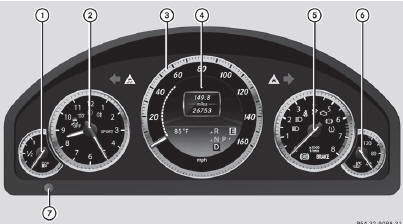
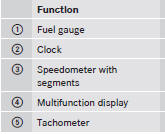
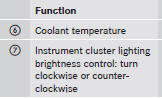
See also:
Useful information
This Operator's Manual describes all
models and all standard and optional
equipment of your vehicle available at the
time of publication of the Operator's
Manual. Country-specific differences are ...
Selecting a scene/chapter
Note
Further information on this function is
available in the "Video" section.
Skipping forwards/backwards
Press the or
button on the
remote control.
or
Press the or
button. ...
Load index
In addition to the load bearing index, the load
index may also be imprinted on the sidewall
of the tire. This specifies the load bearing
capacity more precisely. ...