
Cockpit
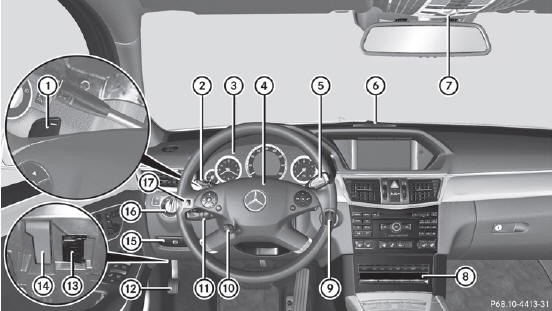
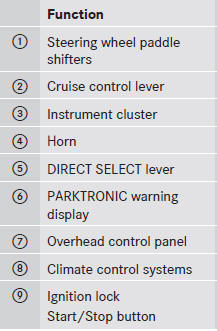
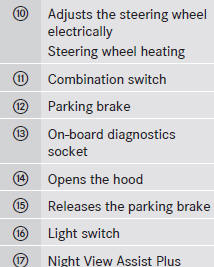
See also:
Important safety notes
The EASY-ENTRY/EXIT feature makes getting
in and out of your vehicle easier.
You can activate and deactivate the EASYENTRY/
EXIT feature in the on-board
computer.
WARNING
You must make sure ...
Back button
1 Back button
To exit the menu: press back button 1
briefly.
COMAND changes to the next higher menu
level in the current operating mode.
You can also exit a menu by sliding
or the CO ...
Activating/deactivating
- Turn the SmartKey to position 2 in the
ignition lock.
- To switch on: press the button.
The indicator lamp in the button
lights
up. Airflow and air distribution are set to
automatic mode ...