
Cup holder in the front-compartment center console
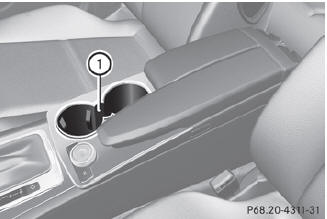
Cup holder in the front-compartment center console
1 Cup holders
See also:
Switching the display design
Select Settings using the
button
and confirm with the button.
Select Day Mode, Night Mode or
Automatic using the buttons
and press the button to confirm.
The icon indicates the curren ...
Displays and controls
1 Speedometer with
segments
2 Adjusts the instrument
cluster lighting: dimmer
3 Reset button
4 Adjusts the instrument
cluster lighting: brighter
5 Tachometer
6 Fuel gauge
7 Multifunction ...
Accepting a call
If someone calls you when you are in the
Telephone menu, a display message appears
in the multifunction display, for example:
► Press the
button on the steering
wheel to accept an incomi ...