
Introduction
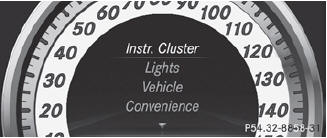
The Sett. menu can be used for:
• changing the instrument cluster settings
• changing the light settings
• changing the vehicle settings
• changing the convenience settings
• restoring the factory settings
See also:
Activating/deactivating the automatic
folding mirror function
In the Automatic Mirror Folding menu,
you can set the exterior mirrors so that they
automatically fold in when the vehicle is
locked.
To activate/deactivate automatic
mirror folding: selec ...
Automatic anti-glare mirrors
WARNING
If incident light from headlamps is prevented
from striking the sensor in the rear-view
mirror, for instance, by luggage piled too high
in the vehicle, the mirror's automatic antiglar ...
Closing
- Replace the fuel filler cap and turn it
clockwise. The fuel filler cap audibly
engages.
- Close the fuel filler flap.
If you drive with the fuel filler cap open,
reserve fuel warning la ...