
SmartKey
| Display messages | Possible causes/consequences and
 Solutions Solutions |
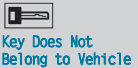 |
You have put the wrong SmartKey in the ignition lock. – Use the correct SmartKey. |
 |
The SmartKey is in the ignition lock. – Remove the SmartKey. |
 |
The SmartKey needs to be replaced. – Visit a qualified specialist workshop. |
 |
The batteries of the KEYLESS-GO key are discharged. – Change the batteries. |
 |
The display message is shown for a maximum of 60 seconds and is only
a reminder. You have opened the driver's door with the engine switched off. The KEYLESS-GO key is not in the ignition lock. – Remember to take the KEYLESS-GO key with you when you leave the vehicle. |
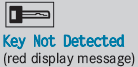 |
The KEYLESS-GO key is not in the vehicle. A warning tone also sounds. If the engine is switched off, you can no longer lock the vehicle centrally or start the engine. – Pull over and stop the vehicle safely as soon as possible, paying attention to road and traffic conditions. – Apply the electric parking brake. – Locate the KEYLESS-GO key. |
| The KEYLESS-GO key is not detected while the engine is running
because there is interference from a strong source of radio waves. A warning tone also sounds. – Pull over and stop the vehicle safely as soon as possible, paying attention to road and traffic conditions. – Engage the electric parking brake. – Operate the vehicle with the SmartKey in the ignition lock. |
|
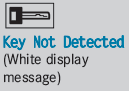 |
The KEYLESS-GO key cannot be detected at present. – Change the location of the key with the KEYLESS-GO functions in the vehicle. If the KEYLESS-GO key is still not detected: – Operate the vehicle with the SmartKey in the ignition lock. |
 |
The KEYLESS-GO key has been detected inside the vehicle during
locking. – Remove the KEYLESS-GO key from the vehicle. |
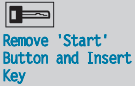 |
KEYLESS-GO is temporarily malfunctioning or is defective. A warning
tone also sounds. – Insert the SmartKey into the ignition lock and turn it to the desired position. – Visit a qualified specialist workshop. |
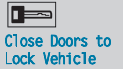 |
At least one door is open. A warning tone also sounds. – Close all doors and lock the vehicle again. |
See also:
Vehicle data
Please note that for the specified vehicle
data:
Rthe heights specified may vary as a result
of:
- tires
- load
- condition of the suspension
- optional equipment
Missing values were not ava ...
Decoupling a trailer
WARNING
Vehicles with air suspension program: While
you are coupling or decoupling a trailer, make
sure nobody locks or unlocks the vehicle and/or opens or closes doors or the
tailgate.
The v ...
Vehicle Overview
Mercedes-Benz’s lowest-priced sedans get several enhancements for the 2003
model year, but full details have not yet been released. A C320 wagon joined the
C-Class lineup for 2002. Later came a ne ...