
Introduction
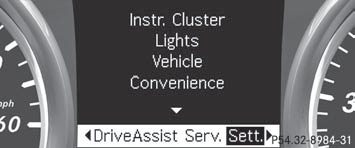
The Sett. menu can be used for:
- changing the instrument cluster settings
- changing the light settings
- changing the vehicle settings
- changing the convenience settings
- restoring the factory settings
See also:
High-beam headlamps (halogen
headlamps)/cornering lamps (Bi-Xenon
headlamps)
•► Switch off the lights.
•► Open the hood.
•► Turn housing cover 1 counter-clockwise
and pull it out.
•► Turn bulb holder 2 counter-clockwise and
pull it out.
•υ ...
Problems with the steering wheel
heating
If steering wheel heating indicator lamp 3 is
flashing, the steering wheel heating has
switched off automatically. The vehicle's
electrical system voltage is too low because
too many electrica ...
M+S tires
At temperatures below 45 °F (+7 °C), use
winter tires or all-season tires. Both types of
tire are identified by the M+S marking.
Only winter tires bearing the
snowflake
symbol in addition t ...