
Introduction
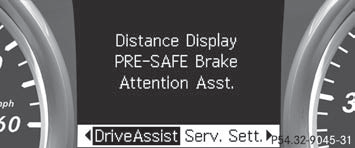
In the DriveAssist. menu you can:
- show the distance display
- activate/deactivate PRE-SAFE® Brake
- activate/deactivate ATTENTION ASSIST
- activate/deactivate Blind Spot Assist or Active Blind Spot Assist
- activate/deactivate Lane Keeping Assist or Active Lane Keeping Assist
See also:
Elegant and Modern
The S-Class commands respect. The sedan's strong visual presence is
highlighted by a sleek front end that incorporates triangular headlights and a
classic Mercedes grille. The edges of the headlig ...
Winter tires
At temperatures below 45 °F(+7 °C), use
winter tires or all-season tires. Both types of
tire are identified by the M+S marking.
Only winter tires bearing the
snowflake
symbol in addition to t ...
Crash-responsive emergency lighting
The interior lighting is activated automatically
if the vehicle is involved in an accident.
•► To switch off the crash-responsive
emergency lighting: press the hazard
warning lamp button. ...