
Introduction
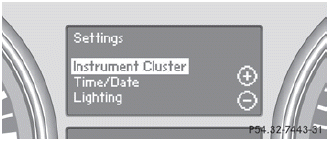
The Settings menu can be used for:
• restoring the factory settings
• changing the instrument cluster settings
• changing the time/date settings
• changing the light settings
• changing the vehicle settings
• changing the convenience settings
See also:
Comprehensive restraint systems for even better occupant protection
The passive occupant protection systems, together with the "electronic
crumple zone" and intelligent body design which have already been described,
provide optimum protection potential, ...
Driving
My biggest issue was with the E350's stiff accelerator pedal. I did most of
my driving on icy roads, and that's not where you want to be abrupt with the gas
pedal. Thing is, the pedal was so stiff ...
Important notes
In order to prevent the vehicle's battery from
discharging, the interior lighting functions are
automatically deactivated after some time
except for when the SmartKey is in position
2 in the i ...