
Introduction
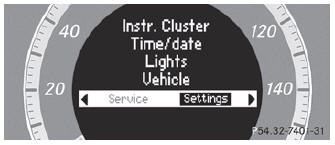
The Settings menu can be used for:
- changing the instrument cluster settings
- changing the time/date settings
- changing the light settings
- changing the vehicle settings
- changing the convenience settings
- restoring the factory settings
See also:
Pedestrian recognition
WARNING
Pedestrian recognition may be impaired or
inoperative if:
- pedestrians are partially or entirely
obscured by objects, e.g. parked vehicles.
- the silhouette of the pede ...
Centrally locking and unlocking thevehicle from the inside
You can centrally lock or unlock the vehicle
from the inside.
The central locking/unlocking button does
not lock or unlock the fuel filler flap.
The buttons are located on both front doors.
...
Hiding display messages
You can hide some display messages with a low priority.
Press the
or
button on the steering wheel to
hide the display message.
The display message is cleared.
Display messages with a high pr ...