
Stowage compartments in the front
Glove box
 The glove box can be cooled.
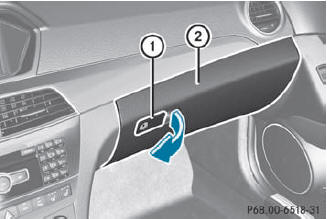
 To open: pull handle 1
and open glove box
flap 2.
To open: pull handle 1
and open glove box
flap 2.
To close: fold glove box
flap 2 upwards
until it engages.
The glove box can only be locked and unlocked using the mechanical key.
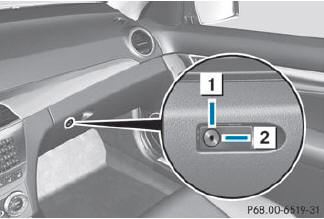
To lock: insert the
mechanical key into the
lock and turn it 90° clockwise to position
2.
To unlock: insert the
mechanical key into
the lock and turn it 90° counter-clockwise
to position 1.
Eyeglasses compartment
There is a compartment to stow eyeglasses in the headliner on the driver's side.
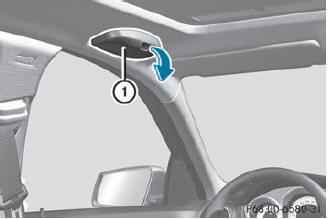
To open: pull down
eyeglasses
compartment 1 by the handle.
Stowage compartment under the armrest
Depending on the vehicle's
equipment, a
USB connection and an AUX IN connection
or a Media Interface are installed in the
stowage compartment. A Media Interface
is a universal interface for mobile audio
equipment, e.g. for an iPod® or MP3 player
(see the separate COMAND operating
instructions).
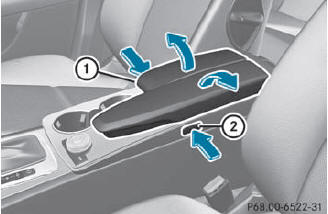
To open: press left-hand
button 2 or righthand
button 1.
The stowage compartment opens.
Stowage compartment under the front seats
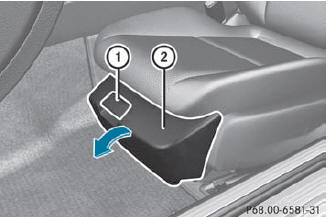
To open: pull handle 1 up
and fold
cover 2 forwards.
See also:
Displaying service messages
– Switch on the ignition.
– Press or
on the steering wheel
to select the Serv. menu.
– Press or
to select the ASSYST
PLUS submenu and press to confirm.
The service due date appears in th ...
Securing hooks
Only use the mounting hooks to secure items
of luggage up to maximum of 9 lbs (4 kg) in
weight.
There are two securing hooks 1 on each side
of the cargo compartment. ...
Jump-starting
WARNING
Failure to follow these directions will cause damage to the electronic
components, and can lead
to a battery explosion and severe injury or death.
Never lean over batteries wh ...