
Setting the temperature
You can set the temperature separately for the driver’s and front-passenger side.
 Select left temperature display 1 or right
temperature display 7 in the airconditioning
function bar by turning
Select left temperature display 1 or right
temperature display 7 in the airconditioning
function bar by turning  the COMAND controller and press
  to
confirm.
to
confirm.
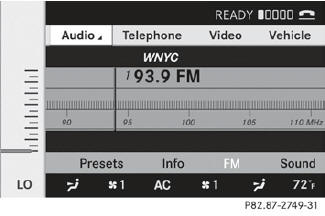
To adjust the temperature: slide
 or
turn the COMAND controller.
or
turn the COMAND controller.
To confirm the selection: press
the
COMAND controller.
See also:
Setting the side air vents
- To open/close: turn thumbwheel 3 up or
down. ...
Setting the side air vents
To open/close: turn thumbwheel 3 up or down.
Side window defroster vent 1 is never completely shut, even if side air vent
2 is shut. ...
Copying music data to the MUSIC
REGISTER
Introduction
You can copy music files from discs in the
DVD changer, the single DVD drive, the
memory card or the COMAND USB, as long
as they are in MP3 and/or WMA formats.
While copying, sev ...