
MB Info call button
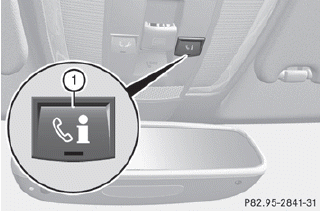
•► Press and hold MB Info call button 1 for more than two seconds.
This initiates a call to the Mercedes-Benz Customer Assistance Center. The indicator lamp in MB Info call button 1 flashes while the connection is being established. The Connecting Call message appears in the multifunction display. The audio output is muted.
If a connection can be established, the Call Connected message appears in the multifunction display.
If a cellular phone network is available and there is sufficient GPS reception, the mbrace system transmits data to the Mercedes-Benz Customer Assistance Center, for example:
- current location of the vehicle
- vehicle identification number
The COMAND display shows that an mbrace call is active. During the call, you can change to the navigation menu by pressing the NAVI button on COMAND, for example.
Voice output is not available.
A voice connection is established between the Mercedes-Benz Customer Assistance Center and the vehicle occupants. You can obtain information on how to operate your vehicle's systems, on the location of the nearest authorized Mercedes-Benz Center, and on further products and services offered by Mercedes-Benz USA.
Further details on the mbrace system can be found under http://www.mbusa.com26.
Log in under "Owners Online".
The mbrace system failed to initiate an MB Info call if:
- the indicator lamp in MB Info call button 1 is flashing continuously.
- no voice connection to the Mercedes- Benz Customer Assistance Center was established.
This may be because the corresponding mobile phone network is not available.
The Call Failed message appears in the multifunction display.
•► To end a call: press the  button on the
multifunction steering wheel.
button on the
multifunction steering wheel.
or
•► Press the corresponding button for ending
a phone call on COMAND.
See also:
Important notes
In order to prevent the vehicle's battery from
discharging, the interior lighting functions are
automatically deactivated after some time
except for when the SmartKey is in position
2 in the i ...
Notes on using 3-zone automatic climate control
The following contains instructions and
recommendations to enable you to get the
most out of your automatic climate control.
• Activate climate control using the
and
buttons. The indicator la ...
High-beam flasher
- To switch on: turn the SmartKey in the
ignition lock to position 1 or 2 or start the
engine.
- Pull the combination switch in the direction
of arrow 3. ...