
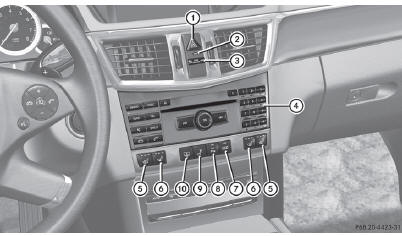
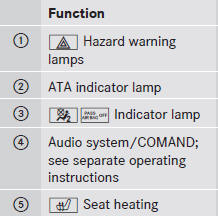
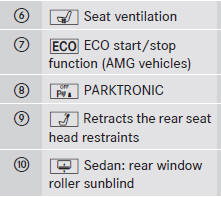
Center console, upper section
See also:
Defrosting the windshield
You can use this function to defrost the
windshield or to defrost the inside of the
windshield and the side windows.
You should only select the defrosting
function until the windshield is ...
Adjusting the head restraint height electrically
To adjust the head restraint height: slide
the switch for head restraint adjustment
up or down in the direction of
the arrow. ...
Normal occupant weight
The number of occupants the vehicle is
designed to seat, multiplied by 68 kilograms
(150 lbs). ...