
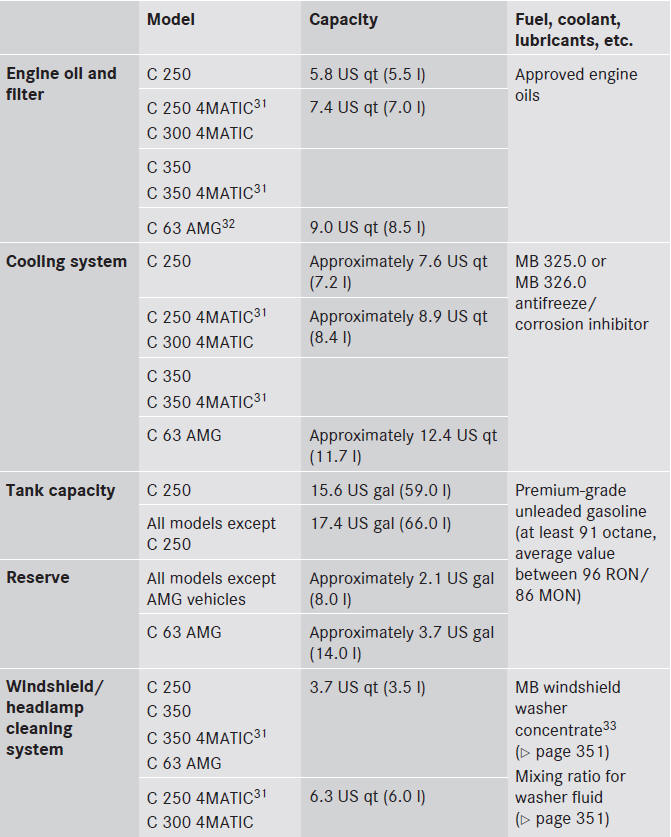
Capacities
Missing values were not available at time of going to print.
See also:
The Inside
The C-Class wears the three-pointed star, but closer scrutiny reveals areas
of cost-cutting versus the $35,000 competition, let alone Mercedes' pricier
cars. It's the sort of thing that requires a ...
Service and literature
Your vehicle is covered under the terms of the warranties printed in the Service
and Warranty Information booklet. Your authorized Mercedes-Benz Center will exchange
or repair any defective parts ...
Automatic interior lighting control
•► To switch on/off: press the
button.
When the automatic interior lighting
control is activated, the button is flush with
the overhead control panel.
The interior lighting automatically ...