
Introduction
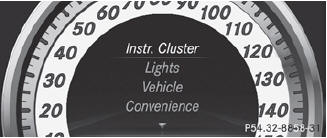
The Sett. menu can be used for:
• changing the instrument cluster settings
• changing the light settings
• changing the vehicle settings
• changing the convenience settings
• restoring the factory settings
See also:
Belt height adjustment
You can adjust the seat belt height on the
driver's seat and the front-passenger seat.
Adjust the height so that the upper part of the
seat belt is routed across the center of your
shoulder.
...
Accepting a call
If someone calls you when you are in the Tel menu, a display message appears
in the multifunction display, for example:
Press the button on the steering
wheel to accept an incoming call.
If y ...
Important safety notes
WARNING
In order to help prevent spilling liquids on
vehicle occupants and/or vehicle equipment,
only use containers that fit into the cup
holder. Use lids on open containers and do
not f ...