
Displays and controls
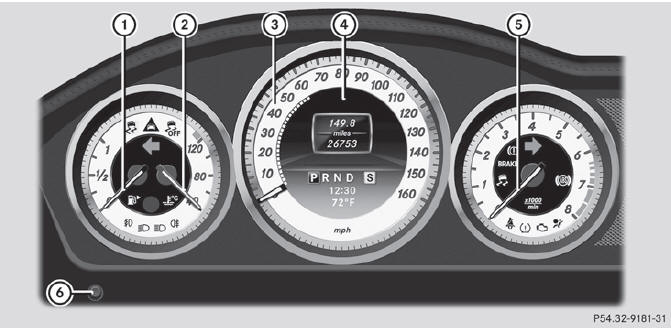
Displays and controls
1 Fuel gauge
2 Coolant temperature
3 Speedometer with segments
4 Multifunction display
5 Tachometer
6 Instrument cluster lighting brightness control: turn clockwise or
counterclockwise
See also:
The Strong, Silent Type
The S-Class is available with a range of V-8 and V-12 engines that produce
from 382 horsepower in the V-8 S550 up to 604 hp in the ultimate-bragging-rights
sedan: the S65 AMG with a twin-turbo V-1 ...
Restoring the factory settings
Press the
and
buttons simultaneously for
approximately six seconds until the battery check lamp flashes twice. ...
Warning and indicator lamps
Warning and indicator lamps
...