
Accepting a call
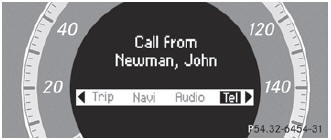
If someone calls you when you are in the Tel menu, a display message appears in the multifunction display, for example:
Press the  button on the steering
wheel to accept an incoming call.
button on the steering
wheel to accept an incoming call.
If you are not in the Tel menu, you can still accept a call.
See also:
Downhill gradients
On long and steep gradients, you must
reduce the load on the brakes by shifting
early to a lower gear. This allows you to take
advantage of the engine braking effect and
helps avoid overheati ...
Information about driving abroad
Converting to symmetrical low beam
when driving abroad: switch the headlamps
to symmetrical low beam in countries in
which traffic drives on the opposite side of the
road to the country where the ...
Cleaning the plastic trim
WARNING
When cleaning the steering wheel boss and
dashboard, do not use cockpit sprays or
cleaning agents containing solvents. Cleaning
agents containing solvents cause the surface
to bec ...