
General information
The program selector button allows you to choose between different driving characteristics.
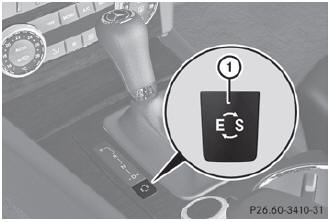
Program selector button
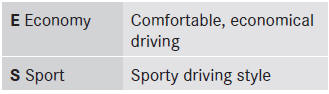
 For further information on the automatic drive program, see ().
- Press program selector button : repeatedly until the letter for the desired gearshift program appears in the multifunction display.
See also:
Child-proof locks for the rear doors
WARNING
Children could open a rear door from inside the vehicle. This could result in
serious injuries or an accident. Therefore, when children ride in the rear always
secure the rear doors ...
4MATIC (permanent four-wheel drive)
4MATIC ensures that all four wheels are
permanently driven. Together with ESP®, it
improves the traction of your vehicle
whenever a drive wheel spins due to
insufficient grip.
WARNING
If ...
Overhead control panel
Overhead control panel
Function
1 Switches the rear interior lighting on/off
2 Switches the automatic interior
lighting control on/off
3 Switches the righthand reading
lamp on/off
4 Ope ...