
Rear-compartment screens
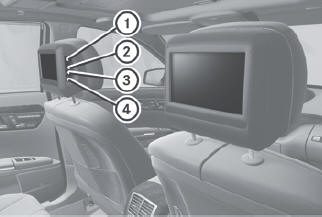
1 Socket for corded headphones
2 V jack for video signal
3 L jack for audio signal, left
4 R jack for audio signal, right
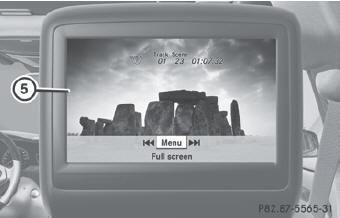
5 Rear compartment screen
You can connect an additional set of corded headphones to each rear-compartment screen.
The connection socket is for headphones with 3.5 mm stereo jack plugs and an impedance of 32 ohms.
See also:
Maximum tire pressure
WARNING
Never exceed the maximum tire inflation
pressure. Follow recommended tire inflation
pressures.
Do not underinflate tires. Underinflated tires
wear excessively and/or unevenly, advers ...
The ultimate diesel: the V6 engine in the CLS 350 CDI
195 kW (265 hp) and 620 Nm of torque: the excellent diesel engine in the CLS
350 CDI BlueEFFICIENCY is now even more powerful and boasts a correspondingly
superior performance. The Coupé ac ...
Refueling
Fuel filler flap
The fuel filler flap is unlocked or locked
automatically when you open or close the
vehicle with the SmartKey or using KEYLESSGO.
The position of the fuel filler cap is displaye ...