
Overview
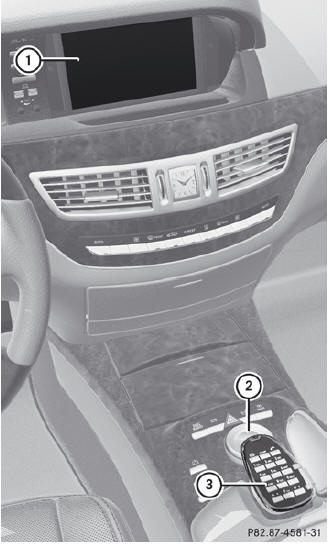
Function
1 COMAND display
2 COMAND controller and function buttons
3 Telephone keypad
See also:
Calling a number stored in an entry
Using the phone book
Select Name in the telephone basic menu
by sliding and turning
the
COMAND controller and press to
confirm.
Call up the contact.
Contact with multiple telephone
n ...
Automatic interior lighting control
To switch on/off: press
the button.
When the automatic interior lighting
control is activated, the button is flush with
the overhead control panel.
The interior lighting automatically switch ...
Using KEYLESS-GO
The KEYLESS-GO key must be outside the
vehicle. All the doors must be closed.
•► Touch recessed sensor surface 1 on the
door handle until the side windows and the
sliding sunroof or the ...