
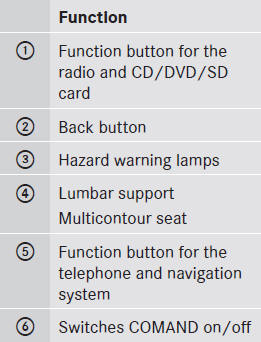
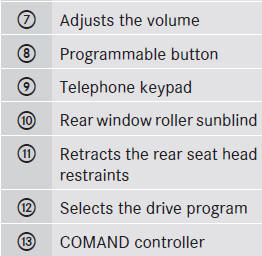
Center console
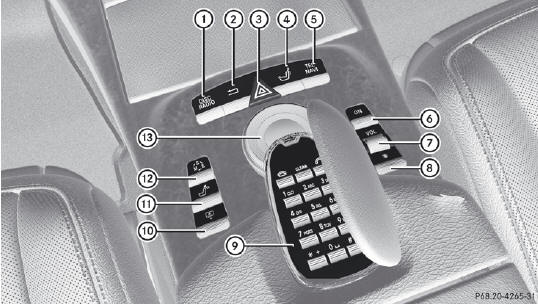
Center console
See also:
Change of address or ownership
In the event of a change of address, please
send us the "Change of Address Notice" found in the Service and Warranty
Information Booklet, or simply call the
Mercedes-Benz Customer Assista ...
Setting the compass
Determine your position using the following zone maps.
North America zone map
South America zone map
Press a round pin into opening 3() for approximately three seconds.
The currently ...
ETS/4ETS (Electronic Traction System)
WARNING
Observe "Important safety notes".
Traction control is part of ESP®.
Traction control brakes the drive wheels
individually if they spin. This enables you to
pull away and acc ...