
Introduction
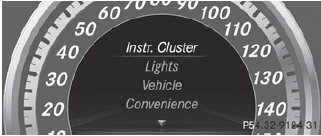
The Sett. menu can be used for:
- changing the instrument cluster settings
- changing the light settings
- changing the vehicle settings
- changing the convenience settings
- restoring the factory settings
See also:
Setting the airflow
Turn the SmartKey to position
2 in the
ignition lock.
To increase/reduce: press
the or
button.
You can use automatic climate
control to
set the airflow in the rear compartment
sep ...
Features
As we cram more technology into our homes, cars and palms, the ergonomics of
using said advancements should be getting better. Mercedes has a few elegant
systems in cars like the S-Class and new C ...
Override feature for the rear sidewindows
WARNING
When children ride on the vehicle's rear seats,
activate the override switch. Otherwise, the
children could be injured, e.g. by trapping
themselves in the rear side window.
...