
Switching on/off
The three red indicator lamps in the button indicate the heating level you have selected.
If the battery voltage is too low, the seat heating may switch off.
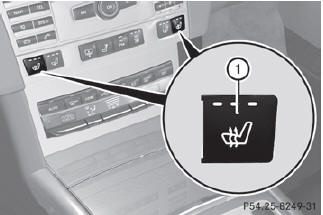
Driver's and front-passenger seat
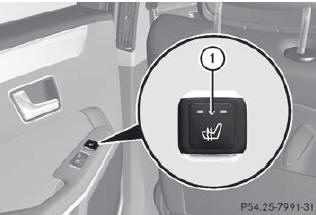
Rear seats
The system automatically switches down from level 3 to level 2 after about eight minutes (driver's seat and front-passenger seat) or five minutes (rear seats).
The system automatically switches down from level 2 to level 1 after approximately ten minutes.
The system automatically switches off approximately 20 minutes after it is set to level 1.
•► Make sure that the SmartKey is in position 2 in the ignition lock.
•► To switch on: press button 1 repeatedly until the desired heating level is set.
•► To switch off: press button 1 repeatedly until all the indicator lamps go out.
See also:
Switching the additional speedometer
on or off
An additional digital speedometer can be
shown in the multifunction display.
Vehicles with a kilometer speedometer: the
digital speedometer has mph units.
Vehicles with a miles speedometer: the ...
Vehicle operation outside the USA
and Canada
If you plan to operate your vehicle in foreign
countries, please be aware that:
service facilities or replacement parts may
not be readily available.
unleaded fuel for vehicles with a catal ...
Points to observe before use
The socket in the center console and the
socket in the cargo compartment are not
intended for operating the tire inflation
compressor.
The sockets can be used for accessories, e.
g. lamps o ...